Material Delay Flow Rate vs Pool Outflow

Answered

Comments

4 comments

  • Avatar
    Jason

    Ashley,

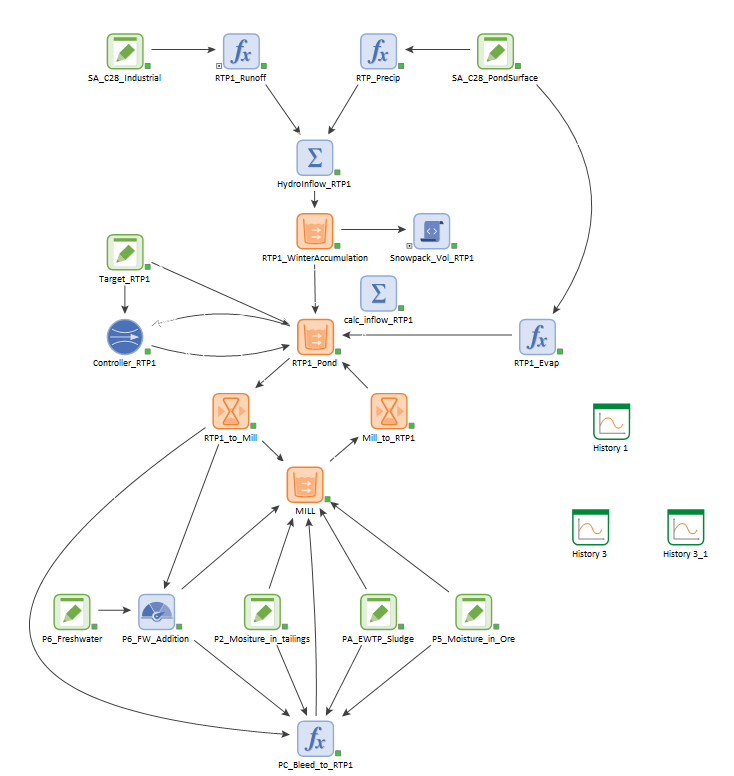
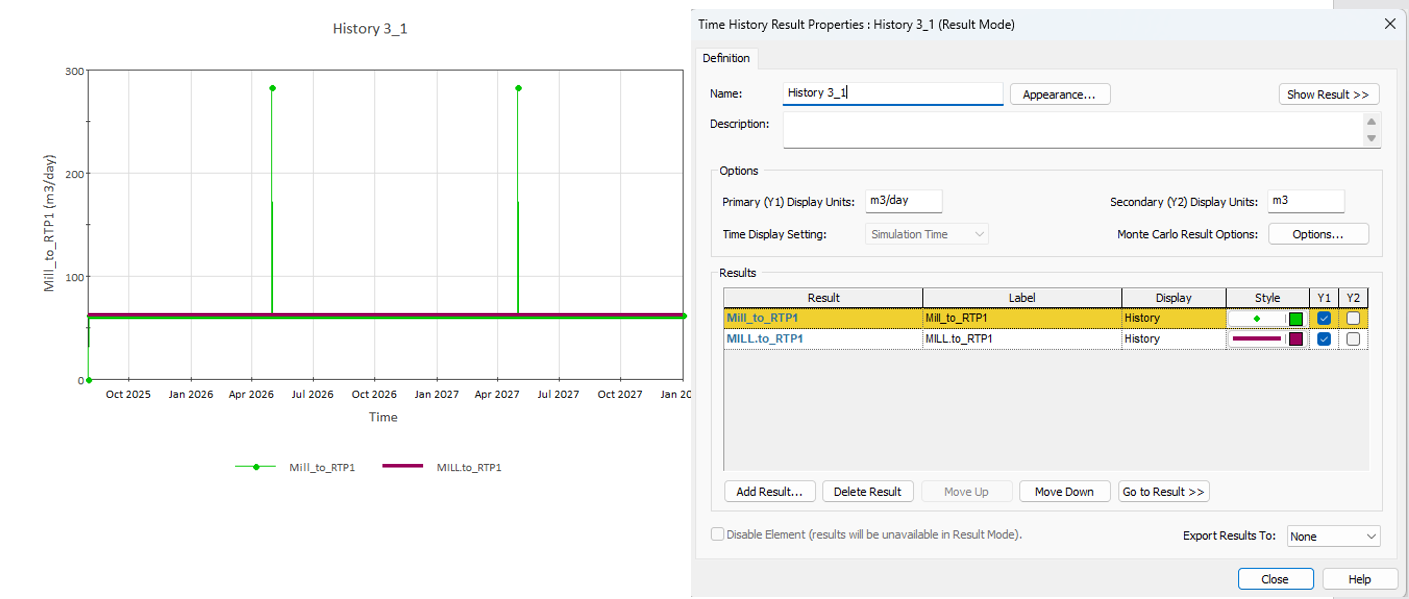
    The first step is to focus the simulation time just to a single event then enable high resolution time history results and include the time history of: your Pool volume and outflows/overflows and the material delay main output and the secondary output "amount in transit". With all those results in a single result, you can view the table view and see the mass balance and how the "spikes" work their way through the system. My suspicion is that other things are being hidden because your result chart is limited to only show values on your basic time step.

    To enable high resolution results, go to the advanced simulation settings dialog (settings, advanced) then check the box to include these high resolution results in time histories. Please let me know if this helps you find the issue. We may want to look into the reason behind any spikes that you did not expect to see. There are some common pitfalls I've seen where it can be traced back to a method of controlling outflows that doesn't account for unscheduled time steps that do occur when Pool bounds are touched.

    -Jason

    0
    Comment actions Permalink
  • Avatar
    Ashley R

    Thanks Jason, it was due to the lower bound of one my pool elements being reached.  What is the correct way of controlling outflows when the bounds are touched?  Is it to use the controller element?

    0
    Comment actions Permalink
  • Avatar
    Jason

    Ashley,

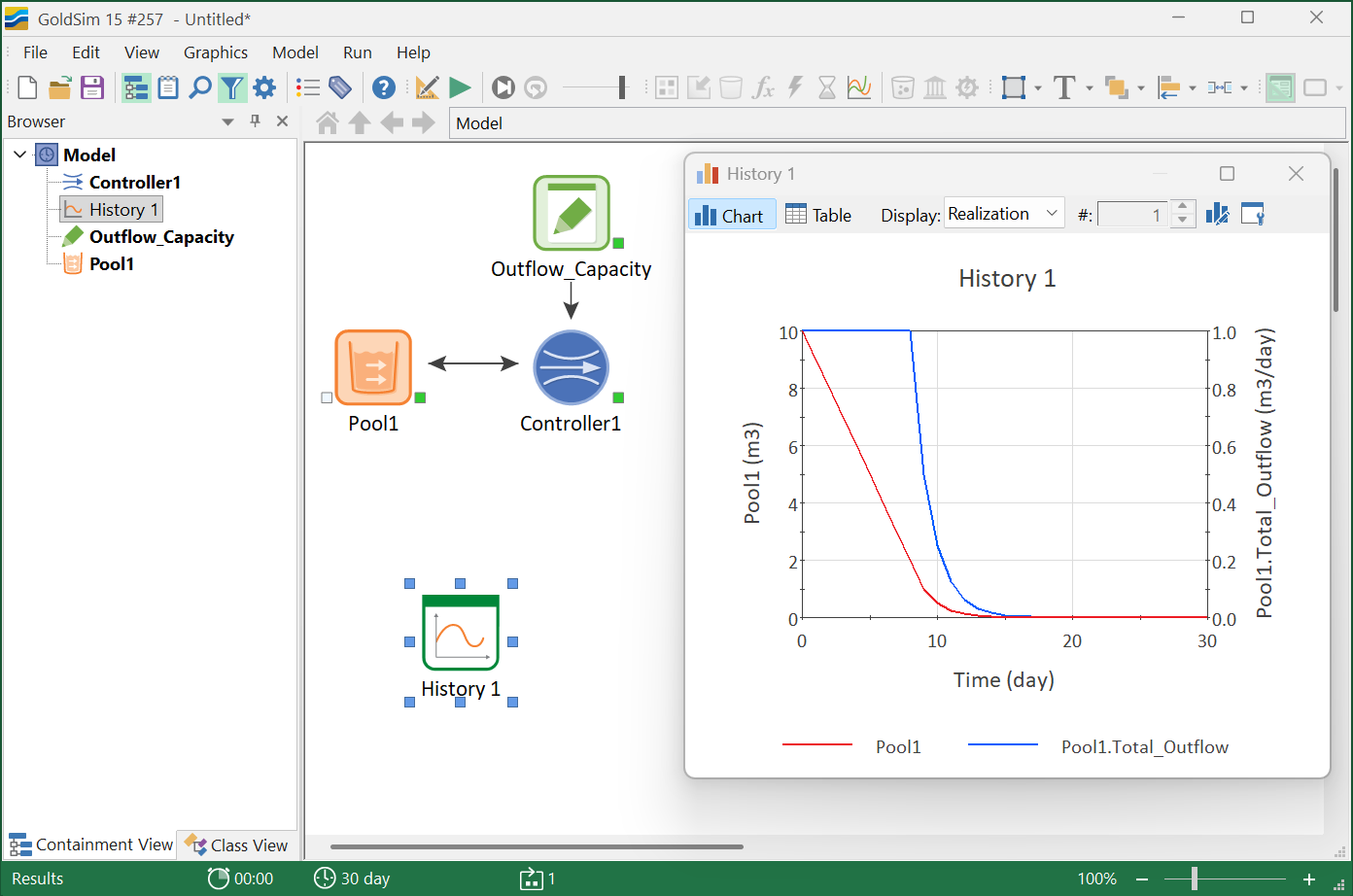
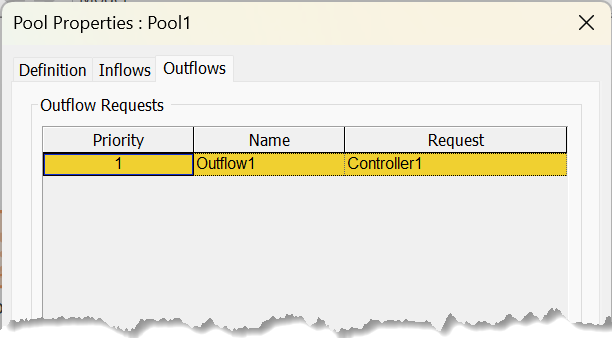
    My apologies for taking so long to get back to you. I didn't notice your follow up question. Yes, the Controller is absolutely a great way to deal with this. The last thing you want is a high outflow just as the reservoir/pool is nearly empty. Typically, you want either a buffer to shut off before hitting empty or a way to slow the rate of flow as you approach it. Both of these options can be done using the Controller.


    Does this help?

    -Jason

    0
    Comment actions Permalink
  • Avatar
    Jason

    Note the Target value in the Controller is 0 m3-day/day but that is really just "m3" because it represents your lower bound. This way, we never quite touch it.

    0
    Comment actions Permalink

Please sign in to leave a comment.